

Author: Trapstar Digital

  • 10 Revenue-Generating Activities to Do Before You Touch Content Creation

    10 Revenue-Generating Activities to Do Before You Touch Content Creation

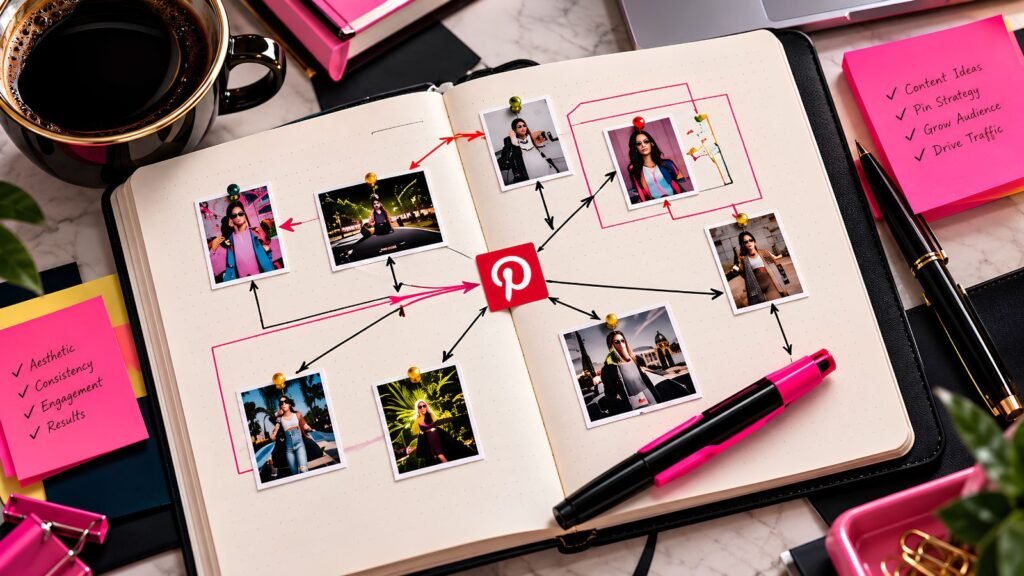
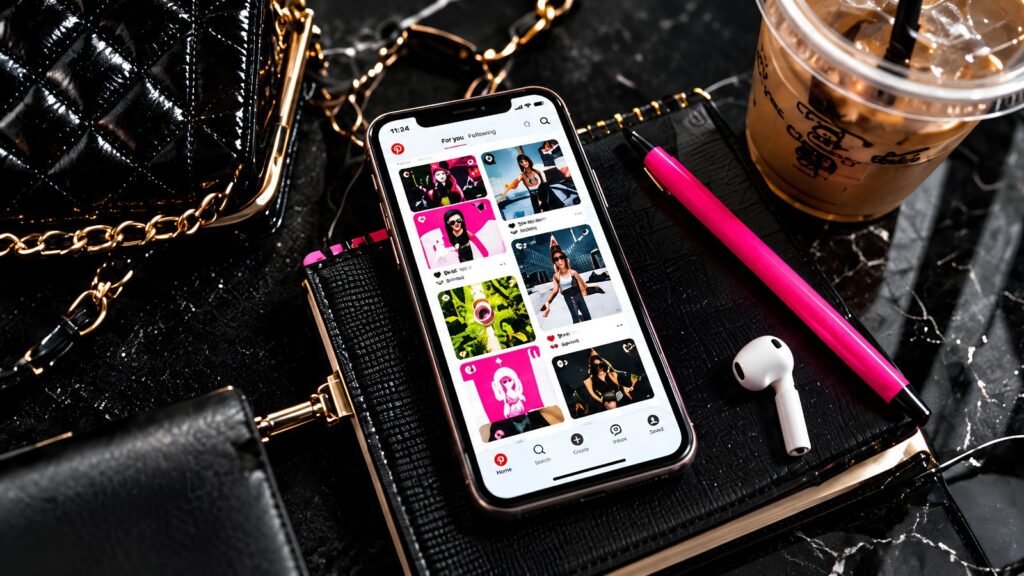
    Faceless creator reviewing work on a laptop beside a pink notebook and printed photographs.

    Before you create another post, Pin, Reel, or email, take a look at the revenue-generating activities already sitting inside your business. Improving an existing offer, following up with interested people, strengthening a sales page, or fixing a broken customer path may have a more direct impact than creating one more piece of content.

    But content creation is only one part of running a business. If your offer is unclear, your product page needs work, your existing customers have not heard from you, or visitors are reaching your site without an obvious next step, creating more content may not be the highest-value task you can do today.

    Sometimes the smarter move is to work on the parts of the business that are already closest to revenue. These revenue-generating activities can help you strengthen what happens before and after someone discovers your content instead of relying on more traffic to fix everything.

    Why Revenue-Generating Activities Should Come Before More Content

    Content is important. It can help people discover your business, build trust, answer questions, and lead potential customers toward your offers. The problem starts when creating content becomes the default response to every business problem.

    If people are already visiting your website but not taking action, more traffic may not solve the issue. Current conversion-rate guidance emphasizes improving what happens after someone arrives, including identifying friction in the customer journey and making it easier for visitors to complete the intended action.

    Before you open another blank design or start writing another post, check whether one of the following tasks could have a more direct effect on your business.

    1. Improve the Offer You Already Have

    Before creating something new, look at the products or services you already sell. Is the outcome clear? Does the customer understand what the offer is for, who it helps, and what they receive?

    Look for opportunities to improve:

    • The product title
    • The main promise or outcome
    • The description
    • Product images or mockups
    • FAQs
    • Instructions
    • Bonuses that genuinely support the result
    • The connection between the product and the problem it solves

    You may not need another product. You may need to make the existing one easier to understand and easier to choose.

    2. Strengthen a Product or Sales Page

    Workspace for revenue-generating activities, with a tablet, photographic prints and a black portfolio.

    Getting traffic to a weak product page only sends more people into the same friction. Before spending hours creating content to attract more visitors, look at what those visitors see when they arrive.

    Conversion-rate optimization focuses on improving the experience for people already visiting your site so more of them complete the intended action. That can include clearer messaging, stronger calls to action, fewer distractions, and removing unnecessary obstacles from the buying process. 

    Check whether your sales page clearly answers:

    • What is this?
    • Who is it for?
    • What problem does it solve?
    • What does the buyer receive?
    • How does it work?
    • What should they do next?

    Small improvements to a page that already receives traffic can sometimes be more valuable than creating another piece of content to send people there.

    3. Follow Up With People Who Already Showed Interest

    It is easy to focus so heavily on reaching new people that you forget about the people who already clicked, subscribed, asked a question, downloaded something, or considered an offer.

    Review the places where interested people may already exist. That could include your email subscribers, past customers, people who downloaded a free resource, or leads who asked about something but never took the next step.

    A useful follow-up might be:

    • Answering an unanswered question
    • Sending a helpful email
    • Sharing a relevant resource
    • Reminding customers about something they already purchased
    • Introducing a related product
    • Letting subscribers know about an updated offer
    • Following up on an abandoned inquiry

    The goal is not to pressure people. It is to make sure someone who already raised their hand has not been forgotten while you spend all your energy trying to attract someone new.

    4. Email the Audience You Already Have

    If you have an email list, use it. You do not need to wait until you have hundreds or thousands of subscribers before sending something useful.

    An email can teach something, highlight a product, share a new article, recommend a resource, or remind subscribers about an offer they may have missed. Existing audiences and repeat customers are important parts of ecommerce growth, alongside acquiring new traffic. 

    If your business does not have an email list yet, read How to Build an Email List When Your Business Doesn’t Have One Yet. Starting with a small list now gives you an audience you can reach directly as your business grows.

    Hands typing on a laptop beside a turquoise tumbler and closed notebook.

    5. Fix the Path Between Your Content and Your Offers

    Sometimes the content is doing its job, but there is no clear path from the content to anything else. A person reads the article, gets the answer, and leaves because you never showed them where to go next.

    Review your highest-value content and make sure it connects naturally to another useful action. That might be a related blog post, a product, a lead magnet, a community, or an affiliate resource.

    Look for places to add or improve:

    • Internal links
    • Product links
    • Lead magnet links
    • Clear CTAs
    • Related resources
    • Relevant affiliate recommendations
    • Links to your Knowledge Stack
    • Links to a matching store collection

    This is exactly why value-based content should lead somewhere meaningful. If you have not already read How to Create Free Value-Based Content That Also Converts, that article goes deeper into building this kind of content path.

    6. Improve a Lead Magnet or Signup Path

    A lead magnet is not useful to your business if nobody can find it, the signup process is confusing, or the free resource no longer matches the audience you want to attrac

    Check the entire path from discovery to signup. Make sure the free resource solves one clear problem, the signup page explains why someone should want it, and the next step after subscribing is obvious.

    1. Review the lead magnet itself.
    2. Check the signup page or form.
    3. Make sure the CTA is easy to understand.
    4. Test the delivery email.
    5. Review the welcome message.
    6. Confirm that links work.
    7. Make sure the next offer or resource is relevant.

    Fixing an existing subscriber path can help you get more value from traffic you are already generating instead of creating another lead magnet before the first one is working properly.

    7. Promote Something You Already Sell

    Creators sometimes spend far more time making products than actually telling people those products exist. Once the launch period is over, the offer disappears from the content calendar and attention shifts to the next thing.

    Before creating a brand-new post from scratch, ask whether you could create a stronger promotion for something already in your store. You might highlight a use case, demonstrate the result, answer a common question, or show who the product is best for.

    You can promote an existing product by:

    • Showing how it solves one specific problem
    • Highlighting one useful feature
    • Explaining who it is for
    • Showing what is included
    • Answering a common objection
    • Sharing a practical use case
    • Connecting it to a relevant blog post
    • Creating a Pinterest Pin that sends directly to the offer

    Promotion is one of the simplest revenue-generating activities to overlook because creators are often more comfortable making something new than repeatedly talking about what already exists. People cannot buy an offer they never see.

    8. Review What Is Already Getting Traffic

    Before deciding what to create next, look at what is already attracting attention. Your strongest blog posts, Pinterest Pins, product pages, emails, or search queries can tell you where interest already exists.

    Content metrics can help connect traffic and engagement to actual business outcomes such as leads and conversions. Current Shopify guidance recommends looking beyond surface-level traffic and evaluating which content is contributing to measurable results.

    Look for:

    • Pages getting steady traffic
    • Pins receiving outbound clicks
    • Blog posts that keep appearing in search
    • Products receiving views but few purchases
    • Emails receiving strong clicks
    • Topics that repeatedly generate interest
    • Pages with traffic but no clear CTA

    Reviewing existing traffic can become one of your most useful revenue-generating activities because it helps you find opportunities that are already showing signs of demand. Sometimes the next revenue opportunity is sitting inside something you published months ago.

    9. Make It Easier for Someone to Buy

    A customer should not have to fight the website to give you money. Broken links, confusing navigation, unclear pricing, missing product information, or too many checkout steps can all create unnecessary friction.

    Current ecommerce conversion guidance emphasizes examining the full customer journey and addressing drop-off points rather than focusing only on acquiring more traffic. 

    Take a few minutes to test:

    • Product links
    • Add-to-cart buttons
    • Checkout
    • Mobile display
    • Payment options
    • Download delivery
    • Confirmation emails
    • Contact forms
    • Coupon codes
    • Important navigation links

    Go through the process like a customer instead of like the person who built the site. You may notice something immediately that you have been overlooking because you already know how everything is supposed to work.

    10. Work on the Next Revenue Step, Not Just the Next Content Piece

    Pink notebook, phone, glasses and coffee arranged for planning revenue-generating activities.

    Sometimes the most valuable task is the one you have been avoiding because it does not feel as fun or visible as creating content. It might be finishing a product, testing a builder, improving a sales page, adding products to your store, updating an affiliate link, or completing the setup for something that is almost ready to sell.

    Ask yourself one simple question before you start creating for the day:

    What task would move someone closer to buying, subscribing, or using one of my offers?

    The answer will not always be content creation. And that is okay.

    A Simple Checklist of Revenue-Generating Activities Before You Create Content

    You do not need to complete all ten activities every day. This checklist is simply a way to make sure content creation is actually the highest-priority task before you spend the next several hours doing it.

    Before creating new content, ask:

    • Is my current offer clear?
    • Is the sales page working?
    • Have I followed up with interested people?
    • Have I emailed my existing audience?
    • Does my content lead somewhere useful?
    • Is my lead magnet path working?
    • Have I promoted what I already sell?
    • Have I reviewed what is already getting traffic?
    • Is it easy for someone to buy?
    • Is there a revenue-related task I have been postponing?

    If several of those answers are no, choose one and work on it first. Content will still be there afterward.

    Use The Pin Plan to Support Revenue-Generating Activities

    Content still matters, but it should have boundaries. One reason content can take over the workday is that creators keep deciding what to make in real time instead of planning it in advance.

    That is where The Pin Plan can help. My weekly Pinterest content planner gives you a place to organize what you are publishing and promoting so Pinterest has a defined place in your week instead of quietly becoming the entire week.

    The goal is not to stop creating content. It is to stop letting content consume time that could also be spent improving products, strengthening offers, and building the parts of your business that actually generate revenue.

    Pinpoint Can Help Before You Create Another Offer

    If the revenue task you keep postponing is figuring out what your audience actually needs, creating another random product is probably not the answer either. Strong offers usually begin with clearer audience and problem awareness.

    Pinpoint can help you narrow your niche, audience, content direction, and potential product ideas so you have more context before investing time in the next thing you build.

    More Revenue-Generating Activities to Strengthen Your Business

    Content can bring people into your world, but content alone is not the entire business. Revenue also depends on what you sell, how clearly you explain it, what happens after someone clicks, whether you follow up, and how easy you make it for the right person to take the next step.

    Shopify’s current ecommerce growth framework reflects this broader view. Growth can come from qualified traffic, stronger conversion, higher order value, and customer retention rather than relying on one growth lever alone.

    Creating more can absolutely be the right move. Just make sure you are not using content creation to avoid the less glamorous work that would make the content you already have more valuable.

    Final Thoughts

    Before you create another Pin, blog post, email, video, or social post, look at your revenue-generating activities first. There may already be traffic, leads, customers, products, or opportunities that need your attention more than another piece of content does.

    Choose the activity that moves the business forward, then create content with a purpose. That might mean strengthening an offer today and publishing tomorrow.

    The goal is not to create less just for the sake of creating less. It is to make sure your time is going toward the work that matters most right now.


  • How to Create Free Value-Based Content That Also Converts

    How to Create Free Value-Based Content That Also Converts

    Faceless creator setting up a camera and tripod in a sunlit studio.

    Creating value-based content can feel like a balancing act. You want to be genuinely helpful, but you also do not want to spend hours creating content that gets consumed, saved, and forgotten without ever leading someone deeper into your business.

    The answer is not to make your content more salesy. It is to make it more intentional. Value-based content can teach, clarify, inspire, or solve a problem while still guiding the reader toward a useful next step.

    That next step might be another article, a lead magnet, a product, a tool, a community, or simply a reason to come back. The important part is that the content helps first and converts naturally second.

    Affiliate disclosure: This post may contain affiliate links. If you purchase through one of my links, I may earn a commission at no additional cost to you. I only recommend tools and resources I believe may be useful to creators.

    What Value-Based Content Actually Means for Your Business

    Value-based content is content created to help a specific audience understand something, solve something, decide something, or move closer to a goal. It should leave the reader with something useful even if they never buy from you.

    That does not mean giving away every process, product, template, or service you have for free. It means giving enough useful information that the reader trusts the quality of your thinking and understands the kind of problems you can help them solve.

    Google’s current people-first content guidance emphasizes creating content primarily to benefit an intended audience and making sure readers leave feeling they learned enough to move toward their goal. That is a much stronger foundation than creating content only to attract search traffic.

    Why Value-Based Content Can Still Convert

    There is a common fear that mentioning an offer inside helpful content somehow makes the content less valuable. The problem is not the presence of an offer. The problem is when the offer feels disconnected from what the reader came to learn.

    If someone is reading an article about planning Pinterest content, a relevant weekly planner or content tool can make sense. If someone is reading about choosing a niche, a niche-finding tool can make sense. The promotion feels natural because it continues the same conversation.

    A relevant next step might be:

    • Another article that goes deeper
    • A checklist or lead magnet
    • A planner or template
    • A digital tool
    • A product that solves the next problem
    • A community or membership
    • An affiliate resource you genuinely recommend

    The content still needs to stand on its own. The offer should feel like an extension of the solution, not a commercial interruption.

    Start With the Reader Before You Start With the CTA

    Laptop, pink notebook, glasses and photographs arranged for researching value-based content.

    The easiest way to make free content feel overly promotional is to decide what you want to sell before you decide what the reader actually needs. Start with the problem they are trying to solve and build the article around that.

    Then ask what a logical next step would be after they understand the topic. Sometimes the answer is your product, but sometimes the better next step is another article, a free resource, or simply taking action on what they just learned.

    Before creating the content, ask:

    • Who is this for?
    • What are they trying to accomplish?
    • What question brought them here?
    • What should they understand by the end?
    • What would be the most useful next step?
    • Do I have an offer or resource that genuinely fits that next step?

    If you are still unclear about the niche, audience, or problems you want your content to address, Pinpoint can help you clarify your audience, content direction, and potential offer ideas before you start creating.

    Decide the Next Step Before You Write the Content

    You do not need to write an article and then figure out where to squeeze in a CTA afterward. It is often easier to decide the natural destination before you begin writing.

    That does not mean structuring the entire article around a sale. It means understanding the relationship between the topic and what comes next.

    1. Choose the topic.
      Start with a real problem or question your audience cares about.
    2. Define the useful outcome.
      Decide what the reader should understand or be able to do after reading.
    3. Choose one natural next step.
      This could be another article, a product, a free resource, a tool, or a community.
    4. Create the content around the reader’s need.
      Make the article genuinely useful before thinking about conversion.
    5. Add the CTA where it makes sense.
      Place it after the reader has enough context to understand why the next step would help.

    HubSpot’s current CTA guidance reinforces the basic role of a call to action: give the visitor a clear next action and direct them toward a relevant destination.

    Match the CTA to the Reader’s Intent

    Woman using a phone at a café table beside a notebook and iced coffee.

    Not every reader is ready for the same action. Someone reading a beginner article may not be ready to buy a premium product, while someone reading a detailed comparison or implementation guide may be much closer to making a decision.

    That is why the CTA should match the stage of the conversation. Asking too much too early can feel abrupt, while giving no next step at all can waste the attention you worked to earn.

    For example:

    • Beginner informational content: Read another guide or download a simple free resource
    • Planning content: Use a planner, template, or organizer
    • Problem-solving content: Try a tool or product designed for that problem
    • Comparison or decision content: Explore a product or recommended resource
    • Community-focused content: Join a group, membership, or learning environment

    The goal is not to push everyone toward the same button. It is to make the next step feel proportional to what the reader is already trying to do.

    Create Value-Based Content Around Problems You Can Actually Help Solve

    One of the easiest ways to make content convert more naturally is to create around problems that connect to the work, products, or resources you already offer. That creates a logical relationship between education and action.

    For example, if you sell a planner that helps creators organize Pinterest content, useful topics might include consistency, batching, weekly planning, content overwhelm, or what to post. If you offer niche or content-direction tools, useful topics might include audience clarity, micro-niches, search behavior, and product ideas.

    That does not mean every article needs to mention a product. Some content should simply build authority, answer a question, or help the reader discover your site. But when there is a natural connection, you do not need to avoid it.

    Give Enough Value Without Trying to Give Everything Away

    Value does not mean exhausting the entire subject in one article. A useful piece of content should solve the problem it promised to solve, but it does not need to replace every deeper resource, tool, or product you offer.

    The difference is important. Holding back basic information to force a sale usually creates weak content. Trying to pack your entire paid product into one free post can create the opposite problem.

    Good free content can:

    • Explain the problem clearly
    • Teach the core idea
    • Give the reader a practical first step
    • Help them avoid common mistakes
    • Show them how to think about the problem
    • Give them enough confidence to move forward

    Your paid offer can then provide something different: deeper implementation, personalization, organization, convenience, automation, templates, interactive guidance, or a faster path to the result.

    Use Value-Based Content to Build a Path, Not Just a Collection of Posts

    A blog becomes much more useful when the articles connect to each other and to the rest of your business. Instead of publishing isolated posts, think about how one useful piece of content can naturally lead to another.

    A reader might discover you through a Pinterest Pin, land on a blog article, click to a related article, download a resource, and later explore a product. That journey does not need to happen in one visit, but your content should make it easy for someone to keep moving when they are ready.

    If you have not started building an email audience yet, How to Build an Email List When Your Business Doesn’t Have One Yet gives you a simple place to begin with lead magnets, signup paths, welcome emails, and steady list growth.

    A simple content path might look like this:

    1. Pinterest Pin or search result
    2. Helpful blog post
    3. Related internal article
    4. Relevant CTA
    5. Lead magnet, product, or resource
    6. Follow-up content or email

    This is where internal linking becomes more than an SEO task. It also helps readers find the next piece of information they need instead of reaching the end of an article with nowhere useful to go.

    If you want to create content that continues bringing people to your site long after you publish it, read The Search-First Content Strategy That Drives Traffic Without Going Viral. It explains how searchable blog and Pinterest content can keep working together over time.

    Photographs pinned above pink folders and camera equipment in a value-based content planning area.

    How to Plan Value-Based Content With More Intention

    Even strong content can become difficult to maintain if you are deciding what to create from scratch every day. A simple planning system gives you room to think about the purpose of each piece before you publish it.

    If the bigger challenge is keeping your content organized without creating from scratch every day, How to Create a Content System That Runs Without You walks through a repeatable planning and publishing workflow.

    That is one reason I created The Pin Plan, my weekly Pinterest content planner. It gives you a place to organize what you are creating, what you are promoting, and how your Pinterest activity fits into the rest of your week instead of treating every Pin like an isolated task.

    The goal is not to make content rigid. It is to give yourself enough structure that you can balance helpful content, promotional content, and the offers you want people to discover.

    Do Not Put a Sales Pitch in Every Paragraph

    Value-based content stops feeling valuable when the reader has to fight through constant promotion to get to the information they came for. A CTA is much more effective when it appears in the right context instead of being repeated every few sentences.

    You also do not need five different offers inside one article just because several technically fit. One strong primary CTA and one or two secondary resources are usually easier for the reader to understand than a page full of competing directions.

    Watch for these signs that the article may be getting too promotional:

    • The offer appears before the reader understands the topic
    • Every section ends with a product mention
    • Multiple unrelated products are competing for attention
    • The article keeps interrupting itself to sell
    • The CTA does not match what the reader just learned
    • Removing the product links would leave very little useful information

    If the article is genuinely useful without the promotional links, you are probably starting from a much stronger place.

    Pinterest Can Bring the Right Reader Into the Content Path

    Pinterest can work especially well with value-based content because people use the platform to discover ideas, plan, learn, and find solutions. A Pin can attract someone around one specific problem and send them directly to the article designed to help with that problem.

    The stronger the connection between the Pin, the article, and the next step, the more coherent the experience feels. A Pin about batching Pinterest content should lead to an article about batching Pinterest content, not a generic homepage with no obvious connection.

    If you want more structure around Pinterest strategy, searchable content ideas, and building a repeatable pinning routine, PinFluence Society is one of the affiliate resources I recommend for creators who want more guidance around Pinterest.

    Because this is an affiliate recommendation, keep the affiliate disclosure near the top of the article before this recommendation appears.

    A Simple Framework for Free Content That Converts

    If you want an easy way to check whether a piece of content is both useful and intentional, use this five-part framework.

    1. Attract with the right problem.
      Choose a topic your intended audience actually cares about.
    2. Help before you promote.
      Give the reader enough useful information to make progress.
    3. Connect the topic to a logical next step.
      Do not force an unrelated offer into the article.
    4. Use one clear CTA.
      Tell the reader exactly what they can do next.
    5. Keep the relationship going.
      Use related articles, email, Pinterest, or other content to continue helping after the first visit.

    This framework keeps the content from drifting toward either extreme. You are not publishing empty promotional content, but you are also not creating useful posts with no connection to the rest of your business.

    How to Know Whether Your Value-Based Content Is Working

    Conversion does not only mean an immediate sale. Different content has different jobs, so look at whether the reader is taking the action that makes sense for that particular article.

    Depending on the goal, you might watch:

    • Clicks to related blog posts
    • Lead magnet signups
    • Product page visits
    • Email subscriptions
    • Affiliate link clicks
    • Saves and outbound clicks from Pinterest
    • Time spent on the article
    • Repeat visits
    • Purchases

    A post can be valuable even if it does not directly produce a sale. If it introduces the right person to your business, builds trust, answers an important question, or moves them toward another useful resource, it may still be doing exactly what you created it to do.

    Final Thoughts

    Free content does not have to choose between helping people and supporting your business. The strongest value-based content can do both.

    Start with the reader’s problem, give them something genuinely useful, and then offer a next step that makes sense based on what they just learned. When the connection is natural, conversion does not have to feel like a hard sell.

    The goal is not to turn every reader into a customer immediately. It is to create a useful path that makes it easy for the right people to keep moving deeper into your content, products, tools, and community when they are ready.

  • Why Smaller, More Specific Digital Products Are Easier to Sell

    Why Smaller, More Specific Digital Products Are Easier to Sell

    Hand resting on a pink notebook beside a pen, mouse, coffee and photographs.

    When you create small digital products, it is easy to convince yourself that they need more. Another worksheet, another template, another feature, another bonus. Before long, the simple idea you started with has turned into a giant bundle because adding more feels like the safest way to make it valuable.

    But more does not automatically make an offer clearer, more useful, or easier to sell. Sometimes the stronger digital product is the one that does one useful thing very well. The customer can quickly understand who it is for, what problem it solves, and why they might want it.

    That does not mean every product needs to be tiny or inexpensive. Small digital products can still be premium, polished, sophisticated, and commercially valuable. The real advantage is often clarity.

    Bigger Does Not Automatically Mean More Valuable

    A customer is not really paying for the number of pages in a workbook, the number of templates in a bundle, or the number of buttons inside an app. They are paying because they believe the product will help them accomplish something.

    A focused 15-page resource that helps someone solve an immediate problem can be more useful than a 200-page bundle they never finish. In the same way, a simple interactive tool that helps someone complete one frustrating task may be more valuable to that buyer than a complicated platform filled with features they do not need.

    This is an important distinction because small does not mean low quality. The better question is not, “How much can I put into this product?” It is, “How well does this product solve the problem I promised to solve?”

    Why Small Digital Products Can Be Easier to Sell

    There is no rule that says smaller products always sell better than larger ones. What a focused product can do, however, is make the offer easier to understand, position, market, and improve.

    Current product-research guidance emphasizes understanding customer pain points, evaluating demand, studying competition, and validating whether a product fits the intended market before investing heavily in development. That matters whether you are creating a $9 download or a much larger interactive product. 

    1. The Buyer Can Understand the Product Faster

    A specific offer reduces the amount of mental work a potential customer has to do. They should not have to study your sales page for several minutes just to figure out what you are selling.

    • What is this?
    • Who is it for?
    • What problem does it solve?
    • What will it help me do?

    Compare something broad like The Ultimate Creator Business Toolkit with A Weekly Pinterest Content Planner. The first could include almost anything. The second immediately tells the customer what kind of problem the product is designed to help solve.

    2. It Is Easier to Speak to One Specific Problem

    Broad products often create broad marketing. You start trying to explain every feature, every possible use case, and every type of customer who might benefit. The more the product tries to do, the harder the message can become to simplify.

    A more focused product gives you a clearer conversation. Instead of saying, “Here is everything you could possibly need to grow your business,” you can say, “Here is a tool that helps you plan one week of Pinterest content.” The problem and the outcome are visible immediately.

    If you are still narrowing down who you want to serve and which problems are worth building around, Pinpoint can help you identify your niche, sub-niche, audience, content direction, and potential product ideas before you start creating.

    3. Small Digital Products Can Be Easier to Market With Content

    A focused product also gives you clearer marketing topics. When the product solves one recognizable problem, you can build useful blog posts, Pinterest Pins, tutorials, FAQs, and educational content around that problem from several different angles.

    A Pinterest planning product, for example, can naturally lead to content about batching Pins, planning a week of content, staying consistent, deciding what to post, balancing promotional content, and reducing content overwhelm. The product itself gives you a focused subject area instead of forcing you to constantly invent unrelated content.

    That approach also fits Google’s current people-first guidance. Google says content should primarily help an intended audience, provide useful information, and leave readers feeling they have learned enough to move toward their goal rather than existing mainly to attract search traffic. 

    4. A Focused Product Can Be Easier to Improve

    When a product has one main job, customer feedback is easier to interpret. If several users struggle with the same step, you can examine that step. If they repeatedly ask for one additional feature, you can decide whether that feature genuinely supports the product’s purpose.

    Feedback gets harder to interpret when one product contains dozens of unrelated components. One customer may only use the templates, another may only use the planner, and someone else may ignore half of the bundle. A focused product gives you a cleaner signal about what people actually find useful.

    Small Digital Products Do Not Have to Be Tiny

    Creator selecting photographs for small digital products beside a camera and pink pouch.

    Being specific does not mean everything needs to become a $3 printable. A focused digital product can be simple or technically sophisticated as long as its purpose is clear.

    Small or focused digital products can include:

    • Printables
    • Planners
    • Templates
    • Checklists
    • Swipe files
    • Mini-courses
    • Calculators
    • Generators
    • Interactive builders
    • Apps
    • Resources libraries
    • Specialized memberships
    • Guided digital tools

    A product can contain advanced technology and still solve one very specific problem. In fact, some of the strongest interactive products are useful precisely because they help the customer complete one defined task faster or with less confusion.

    Start With the Problem Before You Choose the Product

    One of the easiest ways to make a digital product too broad is to choose the format first. You decide that you want to make a planner, course, app, or template bundle and then start asking what you can put inside it.

    Try reversing that process. Start with the person and the problem, then decide what format would actually make that problem easier to solve.

    Ask yourself:

    • What is this person trying to get done?
    • What keeps slowing them down?
    • What are they repeatedly searching for?
    • What are they asking for help with?
    • What would make the task faster or easier?
    • What kind of product would best deliver that solution?

    The answer might be a planner, but it could just as easily be a calculator, generator, database, checklist, interactive builder, template, or short guide. Product research is useful here because it helps you look at customer needs, market demand, competition, and potential gaps before you invest heavily in development. 

    If you are still figuring out the niche behind your product idea, read How to Find a Profitable Niche Without Boxing Yourself In before you start building.

    Pink notebook, pen and photographs arranged on a wooden desk for planning small digital products.

    A 5-Question Test for a Strong Small Digital Product

    Before you spend days or weeks creating something, run the idea through a quick clarity test. You do not need a formal business plan to answer these questions, but you should be able to explain the basics of the offer without a long explanation.

    1. Who is it for?
      Can you describe the intended customer without saying “everyone”?
    2. What problem does it solve?
      Can you explain the problem in one clear sentence?
    3. What does it help them do?
      Does the product lead to a recognizable outcome such as planning, creating, organizing, deciding, saving time, or completing a task?
    4. Why would they choose it instead of a free alternative?
      Is the value in convenience, organization, customization, speed, quality, structure, expertise, or the user experience?
    5. Can you explain the offer quickly?
      If a potential customer needs several paragraphs before they understand what the product actually does, the offer may still be too broad.

    You do not need every answer to be perfect before you create anything. The goal is simply to make sure the product idea is clear enough that both you and the customer understand why it exists.

    One Small Digital Product Can Lead to an Entire Product Line

    Choosing a focused product does not mean you are boxing your business into one tiny corner forever. A specific product can become the first step in a larger product ecosystem.

    One product solves the first problem. Once customers begin using it, you often discover the next problem they need solved. That creates a natural opportunity for another focused offer instead of forcing you to build every possible feature into the first one.

    For example, a customer journey could move from:

    • Choosing a niche
    • Planning content for that niche
    • Turning the content into a campaign
    • Creating the visuals
    • Organizing the publishing workflow
    • Tracking what has already been created

    Each product can have a clear individual purpose while still connecting to the others. That is very different from trying to cram an entire customer journey into one giant product before you even know which pieces people actually want.

    If you want to go deeper into the value of becoming more specific, read The Micro-Niche Content Strategy That Helps You Grow Without Boxing Yourself In.

    Where DFY Builders and Interactive Tools Fit

    A focused digital product does not have to be a static PDF or template. Interactive builders can work especially well when they help someone complete one defined task without forcing them to figure out the entire process alone.

    Instead of simply giving the customer information, a builder can guide them through choices, organize their ideas, generate a useful output, or help them create something they can actually use. The technology may be sophisticated, but the purpose of the product should still be easy to understand.

    That is the direction behind the growing Builders & Studios collection at Trapstar Digital. These tools are designed around specific creative or execution tasks so creators can move from an idea toward a finished result without starting from a blank page.

    Do Not Keep Adding Features Just to Justify the Price

    Creators often reach the end of a product and immediately start wondering whether it is enough. That uncertainty can lead to another bonus, another worksheet, another template, and eventually several features that were never necessary for the original result.

    There is nothing wrong with adding features when they genuinely make the product better. The problem is adding them only because you are afraid a focused product looks too small.

    A product can justify its value through:

    • Usefulness
    • Convenience
    • Organization
    • Personalization
    • Better quality
    • Faster execution
    • Clearer guidance
    • Time saved
    • A better user experience

    You are not selling file size. You are selling the usefulness of the solution.

    Validate Small Digital Products Before Building the Giant Version

    Woman holding a phone with a pink notebook on her lap beside a window.

    You do not need to create the biggest possible version of an idea before you know whether people actually want it. Product research and market validation can help you gather evidence before committing significant time or money to development.

    Shopify’s current digital-product guidance also recommends validating an idea before committing heavily to it and points to methods such as keyword research for checking whether people are searching around the topic.

    Before building the giant version, you can:

    • Look at what people are searching for
    • Read questions in communities
    • Study competing products
    • Read customer reviews
    • Look for repeated complaints or missing features
    • Publish content around the problem
    • Create a waitlist or interest page
    • Ask potential customers for feedback
    • Test a smaller version first
    • Watch how people respond before expanding

    Validation does not mean spending six months researching until you are afraid to launch anything. Shopify’s own product-research guidance warns about the balance between doing useful research and getting stuck in analysis paralysis. 

    You still have to build eventually. The goal is simply to make the first version informed enough that you are solving a real problem instead of creating features because they sound impressive.

    Small Digital Products Can Still Build a Big Business

    A digital-product business does not have to depend on one enormous flagship offer. It can grow through a collection of focused products that solve different problems for the same general audience.

    That approach can also make a store easier to understand. Instead of asking one product to serve every customer at every stage, people can choose the tool that matches what they need right now.

    Over time, those focused products can lead naturally from one solution to the next. The individual offers remain easy to understand, while together they become a much larger product ecosystem.

    Final Thoughts

    You do not necessarily need to create more. Sometimes you need to create something clearer.

    A useful digital product does not have to solve every problem your customer has. It needs to solve the problem it promised to solve well. Start with the audience, identify the problem, choose the outcome, and then build what actually helps the customer get there.

    A smaller, more specific offer is not automatically the right answer for every business. But when specificity makes the problem, audience, and outcome easier to understand, it can give you a much stronger foundation for the product itself and the marketing around it.

  • How to Build an Email List When Your Business Doesn’t Have One Yet

    How to Build an Email List When Your Business Doesn’t Have One Yet

    Pinterest open on a laptop in a creative workspace for a strategy to build an email listEditorial creator workspace with Pinterest displayed on a laptop, representing searchable content and Pinterest traffic as part of an email list-building strategy.

    f you keep telling yourself you will build an email list later, you are not alone. Email often feels like something you should start after your website is finished, your audience is bigger, or you have more products to sell, but waiting usually makes the process harder than it needs to be.

    You do not need thousands of followers or a complicated funnel to begin. You need a clear reason for someone to subscribe, a simple way for them to join, and a plan for what happens after they give you their email address.

    Why You Should Build an Email List Before You Think You Are Ready

    Social platforms are useful for discovery, but they are still platforms you do not control. Your reach can change, features can disappear, and algorithms can shift. An email list gives you a direct way to communicate with people who have already raised their hand and said they want to hear from you.

    Mailchimp describes a healthy self-built list as an audience of people who actively chose to subscribe, which gives you cleaner data and a more engaged audience than a purchased or scraped list.

    That does not mean every subscriber will buy something. The value is in building a group of people who are interested enough in your topic to stay connected, learn from you, and potentially become customers later.

    What You Need Before You Build an Email List

    You do not need a complicated tech stack to get started. At the beginning, your goal is simply to create a clean path from discovery to subscription.

    • An email marketing platform
    • A signup form or landing page
    • A clear reason to subscribe
    • A useful lead magnet or incentive
    • A welcome email or short welcome sequence
    • A place to send traffic from your blog, Pinterest, products, or other content

    Most email platforms can handle the technical basics, including subscriber storage, forms, automations, unsubscribe links, and basic analytics. Choose one that fits your current stage instead of trying to build an advanced system before you have anyone to email.

    Step 1: Give People a Reason to Join Your List

    “Join my newsletter” is usually not enough of a reason on its own. A stronger signup gives people a clear benefit so they understand what they are getting in exchange for their email address.

    That benefit might be a free checklist, mini-guide, template, planner page, resource list, tutorial, or other small tool that helps them solve one specific problem.

    The best lead magnets are usually narrow and useful. They do not need to teach everything you know. They need to help the right person make one small piece of progress.

    For a creator-focused business, that might look like:

    • A Pinterest planning checklist
    • A niche-finding worksheet
    • A digital product idea guide
    • A content batching template
    • A simple keyword-planning sheet
    • A creator tools checklist
    • A short starter guide tied to one specific problem

    Your Lead Magnet Should Match What You Want to Be Known For

    A freebie can bring you subscribers, but the goal is not to collect as many random email addresses as possible. The lead magnet should attract people who are interested in the same topics your blog, products, and future offers will continue to cover.

    If your business focuses on Pinterest, digital products, creator systems, or online-business tools, your free resource should point in that same general direction. That makes the transition from free content to paid products much more natural later.

    If you are still figuring out what niche or audience you want to build around, How to Find a Profitable Niche Without Boxing Yourself In is a useful place to start.

    Organized creator workspace with notebooks and Pinterest content for planning a lead magnet and email list

    Step 2: Keep Your Signup Form Simple

    Your signup form should make joining feel easy. In many cases, a name and email address are enough. Asking for too much information upfront can create unnecessary friction before someone has even decided whether they trust your brand.

    Mailchimp currently recommends keeping signup forms simple, clearly explaining the benefit, and telling subscribers what they can expect after they join. 

    The copy around the form matters just as much as the form itself. Instead of focusing on what you want, focus on what the subscriber gets. Tell them what they are signing up for, what kind of content you send, and how often they should expect to hear from you.

    Step 3: Build a Simple Path From Content to Subscriber

    Your email list grows when people can actually find the signup. That means the opt-in should not live on one forgotten page of your website.

    A simple path might look like this:

    1. Someone discovers a Pinterest Pin or blog post.
    2. They click through to your website.
    3. They find a relevant free resource or signup offer.
    4. They enter their email address.
    5. They receive the promised resource.
    6. They enter your welcome sequence.

    This is where your content and email strategy start working together instead of existing as separate projects. A blog post answers the immediate question. The lead magnet gives the reader a useful next step. Email gives you a way to continue the relationship after they leave your website.

    Visual symbols representing discovery, ideas, engagement, growth, and conversion in an email subscriber funnel

    Pinterest Can Help You Build an Email List

    Pinterest can be especially useful for sending people into this kind of funnel because a Pin can lead directly to a related blog post, landing page, or resource. The important part is making sure the Pin and the destination match.

    Pinterest currently recommends that Pin images, text, keywords, and landing pages clearly relate to one another. It also advises creators to check that links work and that the landing page provides additional content related to what the Pin promised.

    That means a Pin promising a Pinterest planning checklist should not land on a generic homepage. Send the reader somewhere that immediately continues the same conversation.

    If you want to build the kind of searchable content that keeps sending people to your website over time, read The Search-First Content Strategy That Drives Traffic Without Going Viral. It explains how to create content around what people are already looking for so your blog, Pinterest Pins, and other resources can keep working together long after you publish them.

    Pinterest content strategy mapped in a notebook to grow an audience, drive traffic, and build an email list

    Step 4: Send a Welcome Email Right Away

    The signup is only the beginning. Once someone joins, they should receive something from you while the reason they subscribed is still fresh.

    At minimum, your first email should deliver what you promised, thank them for joining, remind them what they signed up for, and tell them what to expect next. Mailchimp’s current guidance recommends using a welcome email or short welcome series to set expectations and give subscribers something useful immediately. 

    Do not make the first message a hard sales pitch. This is your first chance to show the subscriber that giving you access to their inbox was a good decision.

    A Simple Welcome Sequence Is Enough to Start

    You do not need a 14-email funnel on day one. A short sequence can introduce your brand, help the subscriber get a quick result, and point them toward useful content or an offer when it makes sense.

    1. Email 1: Deliver the free resource.
      Thank them, give them the download or access link, and explain what they can expect from you.
    2. Email 2: Help them use it.
      Share a tip, example, or common mistake related to the resource they downloaded.
    3. Email 3: Introduce your brand and best content.
      Point them toward a useful article, tool, or resource that continues the topic.
    4. Email 4: Give them a next step.
      This might be another article, one of your products, a recommended resource, or an invitation to stay connected.

    That is enough to create a real beginning. You can improve the sequence later as you learn what subscribers click, reply to, and buy.

    Step 5: Email People After the Welcome Sequence

    One common mistake is putting all the effort into getting subscribers and then rarely emailing them. If someone signed up because they wanted useful information from you, continue giving them useful information.

    You do not need to email every day. Choose a schedule you can maintain, whether that is weekly, every other week, or another consistent rhythm that fits your business.

    Use those emails to share helpful blog posts, new resources, product updates, behind-the-scenes context, recommendations, or lessons that relate to why they joined in the first place. Relevance matters more than volume.

    Do Not Buy an Email List

    A bigger list is not automatically a better list. Purchased, rented, or scraped contacts did not ask to hear from you, and they can hurt engagement, trust, and deliverability.

    Mailchimp explicitly prohibits third-party purchased and scraped lists and recommends building your audience from contacts you collect yourself.

    Your first 50 interested subscribers are more valuable than 5,000 people who do not know who you are or why you are emailing them.

    Know the Basic Email Rules Before You Start Sending

    If you send commercial email in the United States, you also need to understand the basics of CAN-SPAM. The FTC requires commercial emails to use accurate sender information and subject lines, include a valid physical postal address, give recipients a clear way to opt out, and honor opt-out requests promptly.

    Your email provider will usually handle some of the technical pieces, such as unsubscribe links, but you are still responsible for what you send. This is one of those areas where a simple, legitimate email platform is worth using instead of trying to manage marketing emails manually.

    Keep Your Email List Healthy as It Grows

    Once subscribers start coming in, pay attention to what they actually do. Signup rate, clicks, unsubscribes, and which topics consistently get attention can help you understand what your audience wants more of.

    Mailchimp also recommends testing forms and emails, reviewing list health, and removing or re-engaging inactive contacts instead of assuming a larger list is always better.

    You are not just trying to collect addresses. You are building a useful communication channel with people who chose to stay connected.

    A Simple 7-Day Plan to Build an Email List

    If you have been putting this off because it feels like a major project, break it into one small task each day.

    • Day 1: Choose your email platform.
    • Day 2: Decide what your first lead magnet will solve.
    • Day 3: Create the lead magnet.
    • Day 4: Build your signup form or landing page.
    • Day 5: Write your welcome email.
    • Day 6: Add the signup to relevant blog posts or website pages.
    • Day 7: Create your first Pinterest Pin or piece of content that sends people to it.

    You can build the rest later. The first goal is to create a working path that lets the right person discover you, subscribe, and receive something useful.

    Final Thoughts

    You do not need a huge audience before you build an email list. Starting while your business is still growing gives you time to learn what your subscribers care about and build the habit before the list becomes larger.

    Give people a clear reason to join, make the signup easy, send a useful welcome email, and keep showing up with content that matches why they subscribed. That is enough to start building an email list that can become a real business asset over time.

  • The Search-First Content Strategy That Drives Traffic Without Going Viral

    The Search-First Content Strategy That Drives Traffic Without Going Viral

    Faceless Black woman working at a laptop in a stylish creative workspace for a search-first content strategy

    A search-first content strategy helps you create content people can continue finding long after the day you publish it. Instead of depending on a post to go viral, you build around what your audience is already looking for, then make it easy for search platforms like Pinterest and Google to understand where your content fits.

    That shift matters because viral attention can be exciting, but it is unpredictable. Searchable content works differently. A useful blog post, Pinterest Pin, or resource can continue attracting the right person weeks or months later because it answers a question they are actively trying to solve.

    Affiliate disclosure: This post may contain affiliate links. If you purchase through one of my links, I may earn a commission at no additional cost to you. I only recommend tools and resources I believe may be useful to creators.

    Why Viral Traffic Is Not the Same as Sustainable Traffic

    Going viral can create a huge spike in attention, but a spike is not the same thing as a traffic system. A viral post may reach thousands of people who were not searching for your topic, may never return, and may not be interested in what you sell.

    Search-driven traffic usually starts with stronger intent. Someone searching Pinterest for “digital product ideas,” “how to batch Pinterest content,” or “how to find a profitable niche” is already looking for information about that subject. Your job is not to interrupt them. Your job is to become one of the useful answers they find.

    That is one reason Pinterest can be especially valuable for creators who prefer long-term visibility over constant posting. Pinterest says there is no fixed engagement window for Pins. A Pin can start gaining engagement hours, days, months, or even years after it is published, especially when the content remains relevant to what people are searching for.

    What a Search-First Content Strategy Actually Means

    A search-first strategy does not mean writing stiff articles stuffed with keywords. It means starting with real audience intent before you start creating.

    You identify a problem, question, idea, or goal your audience is already searching for. Then you create a useful piece of content around that need and optimize it so search platforms can understand what it is about.

    Google’s current guidance makes this distinction important. It recommends creating content primarily for people and warns against publishing large amounts of content simply to attract search traffic. Good search-first content should still feel complete, original, useful, and written for the audience you actually serve.

    A strong search-first piece of content usually has these things in common:

    • It answers one clear question or solves one clear problem.
    • The topic fits your brand and the audience you want to attract.
    • The title makes the benefit or subject obvious.
    • Relevant keywords appear naturally in the article.
    • The content goes deeper than a surface-level answer.
    • The Pin, headline, and destination page all talk about the same thing.
    • The reader has a clear next step once they arrive.
    Flat lay with laptop, phone, planner, coffee, and Pinterest content for a search-first content strategy

    Search-First Content Starts Before You Write

    One of the easiest mistakes to make is creating first and trying to “SEO it” afterward. That usually leads to awkward keywords and content that does not have a clear search purpose.

    Instead, decide what you want the article to help someone do before you draft it.

    For example, “Pinterest marketing” is too broad to guide a useful article. “How to batch Pinterest content for a week” is much more specific. The second topic tells you who the reader is, what they are trying to accomplish, and what the article needs to deliver.

    That same thinking works for digital products, branding, creator systems, blogging, email marketing, and almost any topic you teach.

    Before you build a search-first content strategy, it helps to be clear on the niche, audience, and problems you want to be known for. If you are still narrowing that down, Pinpoint can help you identify your niche, sub-niche, audience, content ideas, and Pinterest direction before you start creating.

    How to Build a Search-First Content Strategy

    1. Start with one specific search problem.
      Choose a question your audience would realistically type into Pinterest or Google. Avoid trying to solve five unrelated problems in one article.
    2. Match the topic to your business.
      Search traffic only helps if the people you attract are relevant to what you create, teach, recommend, or sell.
    3. Choose one primary keyphrase.
      Your keyphrase should describe the article naturally. Use it in the title, introduction, URL, meta description, and selected subheadings without forcing it into every paragraph.
    4. Build the article around intent, not word count.
      Include enough detail for the reader to leave feeling like they understand the topic and know what to do next.
    5. Create several search entry points.
      One blog post can support multiple Pinterest Pins with different angles, questions, and headlines that all lead back to the same useful article.
    6. Connect related content.
      Add internal links to other posts that help the reader go deeper instead of making every article exist by itself.
    7. Review performance and improve what already works.
      Look at which Pins and articles earn saves, clicks, and outbound traffic. Those signals can help you decide what related content to create next.

    Where Pinterest Fits Into a Search-First Strategy

    Pinterest works especially well with this model because people use it to discover ideas, plan, compare, learn, and save things for later. Your Pins can act like multiple doors leading into the same piece of content.

    Pinterest recommends using relevant keywords in Pin titles, descriptions, board titles, board descriptions, and other contextual areas. It also recommends linking each Pin to a destination that clearly matches what the Pin promised.

    If you want more structure around Pinterest strategy, keyword-focused content ideas, and consistent pinning, PinFluence Society is one of the resources I recommend for creators who want a more intentional Pinterest approach. It can be especially helpful if you want support turning strategy into a repeatable routine instead of guessing what to post next.

    That means a Pin titled “10 Reasons to Stop Chasing Viral Content and Build a Search-First Strategy Instead”should lead to an article that genuinely explains that concept. Sending it to a generic homepage or unrelated product page weakens the experience for the person clicking and makes the content relationship less clear.

    Modern creative workspace with laptop and Pinterest content displayed for search-focused content planning

    One Blog Post Can Give You Multiple Search Opportunities

    This is where a search-first strategy becomes especially useful for creators who do not want to create from scratch every day. One well-written blog post can answer a main question while several Pinterest Pins approach that article from different angles. One Pin may focus on the problem, another may highlight a mistake, another may promise a step-by-step method, and another may use a strong curiosity-based title.

    The destination stays the same because the article is broad enough to satisfy all of those closely related searches. This is also why content repurposing works best when you begin with a strong original piece of content instead of trying to stretch a weak post into ten versions. If you want a deeper look at that process, read How to Repurpose One Piece of Content Into Multiple Pinterest Pins.

    Searchable Does Not Mean Boring

    One reason creators resist SEO is because they assume searchable content has to sound generic. It does not. You can still have a strong point of view, creative visuals, personality, and a distinctive brand while making the topic clear enough for the right person to understand what the content is about.

    A headline like “The Search-First Content Strategy That Drives Traffic Without Going Viral” still has personality and tension, but it also makes the subject obvious. That balance is what you want: useful enough for search, interesting enough for a real person to click.

    What to Stop Doing If You Want Content to Keep Working

    • Stop choosing topics only because they are trending.
    • Stop creating content that has no connection to your products, expertise, or audience.
    • Stop writing vague headlines that make people guess what the content is about.
    • Stop publishing Pins that lead to loosely related landing pages.
    • Stop treating every platform like it needs completely different content.
    • Stop abandoning useful older content just because it is no longer new.
    • Stop measuring success only by views or impressions.

    Pinterest separates impressions from deeper actions such as saves, Pin clicks, and outbound clicks. If your goal is website traffic, those actions tell you more than a large impression number alone. The goal is not simply to be seen. It is to help the right person discover something useful and take the next step.

    Build a Content Library, Not a Content Treadmill

    The biggest benefit of a search-first content strategy is that your work can begin stacking on top of itself. Your profitable-niche article can lead into micro-niches. Your micro-niche article can lead into brand authority. Your brand-authority article can lead into content strategy. From there, readers can move naturally into Pinterest batching, repurposing, consistency, email marketing, or digital products.

    That is very different from publishing isolated posts that disappear as soon as you move on to the next idea. You are building a connected content library where each article supports the next. You can also link this section to How to Stay Consistent on Pinterest Without Creating Content Every Day because sustainable search traffic and sustainable content creation solve two sides of the same problem.

    Faceless Black woman creating Pinterest content at a laptop with planner and editorial workspace details

    A Simple Search-First Workflow You Can Repeat

    You do not need a complicated system to start. Choose one audience problem, research how people describe it, create one genuinely useful piece of content, and optimize the title and page so the topic is clear. Then create several Pinterest Pins that approach the same article from different angles.

    After publishing, give the content time to work and review your saves, Pin clicks, outbound clicks, and website traffic. When you see a topic gaining traction, create related content instead of immediately moving in a completely different direction. That is how a blog starts becoming a library and how Pinterest starts becoming more than a place to post graphics.

    Final Thoughts

    You do not need every post to explode to build visibility online. You need useful content that the right people can find when they are looking for it. A search-first content strategy helps you shift from constantly chasing attention to building content that can continue working after you log off.

    Start with one problem your audience already wants solved, answer it well, and give that content more than one way to be discovered. That kind of visibility may look quieter than going viral, but it can be far more useful to the business you are actually trying to build.

  • How to Create a Content System That Runs Without You

    How to Create a Content System That Runs Without You

    Pinterest content on a smartphone with planner, coffee, and creative workspace accessories for a content system

    A good content system helps you stop treating every post like a brand-new project. Instead of deciding what to create at the last minute, you build a repeatable process for planning, creating, scheduling, and reusing content in a way that fits your actual life.

    The goal is not to automate every part of your business or disappear from your audience. It is to reduce the number of decisions you have to make every time you sit down to create so your content can keep moving even when you are busy, tired, traveling, or focused on something else.

    Why Content Feels Exhausting Without a System

    Content gets exhausting when every step depends on you remembering what to do next. You come up with an idea, create something, write the caption, design the graphic, decide where to post it, and then repeat the entire process again tomorrow.

    That is not really a strategy. It is a series of decisions, and decision fatigue adds up quickly.

    A system gives those decisions a home. You know where ideas go, when you create, what gets reused, what gets scheduled, and which platforms deserve your attention.

    A Content System Is More Than a Content Calendar

    A content calendar tells you when something is going out. A content system tells you how the entire process works.

    Your calendar may show that a blog post publishes on Tuesday and two Pinterest Pins go out later in the week. Your system explains where that blog idea came from, how it was turned into Pins, when those Pins were designed, where they were scheduled, and what happens after they are published.

    A simple content system can include:

    • Idea capture
    • Topic selection
    • Content planning
    • Writing or production
    • Design
    • Repurposing
    • Scheduling
    • Publishing
    • Performance review

    You do not need a complicated dashboard to make this work. You need a process you can repeat without having to reinvent it every week.

    Step 1: Choose the Content That Deserves Your Energy

    One of the fastest ways to overwhelm yourself is trying to create equally for every platform. A better content system starts by deciding what deserves to be created first.

    For many creators, that means choosing one or two pieces of core content that can support everything else. A blog post, newsletter, podcast episode, video, or long-form resource can become the source material for multiple smaller pieces.

    This also helps you avoid posting everywhere simply because you feel like you should. Focus on the platforms that actually support your goals and the way your audience prefers to discover you.

    Pinterest itself recommends creating new original content consistently, but that does not mean creating from scratch every day. Pinterest also supports scheduling Pins in advance, which makes batching and planning much easier to build into your workflow.

    Creative moodboard with photos, colorful notes, and visual references for planning a content system

    Step 2: Build a Repeatable Content Pipeline

    A content pipeline is simply the path an idea follows from the moment you think of it to the moment it reaches your audience. Once you know that path, you can stop relying on memory.

    1. Capture the idea.
      Keep one place for ideas so they are not scattered across screenshots, notes, saved posts, and open browser tabs.
    2. Choose the purpose.
      Decide whether the content is meant to educate, attract traffic, promote an offer, build trust, or support another piece of content.
    3. Create the main piece.
      Develop the blog post, email, video, or other core content.
    4. Break it into smaller pieces.
      Pull out tips, questions, quotes, examples, steps, or angles that can become Pins or other supporting content.
    5. Schedule the content.
      Put finished pieces into your publishing tool or calendar instead of leaving them sitting in a folder.
    6. Review what performs.
      Use performance data to decide what deserves another version, follow-up post, or deeper article.
    Black woman working at a laptop in a creative studio while managing a repeatable content workflow

    Step 3: Decide What to Batch, Automate, and Keep Manual

    Not every part of your content workflow needs the same treatment. Some tasks are perfect for batching, some can be automated, and some are better when you stay involved.

    The goal is to remove unnecessary repetition without removing your judgment, personality, or connection to your audience.

    Batch

    • Blog outlines
    • Pinterest graphics
    • Pin descriptions
    • Keyword research
    • Product photos or mockups
    • Email drafts
    • Content scheduling
    • Analytics reviews

    Automate

    • Scheduled publishing
    • Email delivery after someone subscribes
    • Basic content reminders
    • Repetitive administrative steps
    • File organization where appropriate

    Keep Human

    • Choosing your point of view
    • Responding to your audience
    • Deciding what is worth publishing
    • Reviewing final content
    • Sharing personal experience
    • Making product and brand decisions

    Google’s current guidance is a useful reminder here. It continues to emphasize creating content primarily for people and adding original value rather than producing large amounts of automated content simply to attract search traffic. Automation should support your process, not replace the reason the content is worth reading.

    Step 4: Create Around Reusable Content Formats

    A content system becomes much easier when you stop inventing a new format every time.

    Choose a few repeatable structures that make sense for your business. You might regularly publish how-to articles, checklists, comparison posts, step-by-step tutorials, resource lists, or product-focused content.

    Once the structure is familiar, you can focus more of your energy on the idea itself instead of figuring out how to present it.

    This is also where your existing content starts doing more work for you. If you already have a strong article, you may not need another article on the same topic. You may need a new Pin angle, updated graphic, supporting resource, or follow-up post.

    If you want to go deeper into that process, read How to Repurpose One Piece of Content Into Multiple Pinterest Pins.

    Step 5: Build a Content System for the Weeks When Life Gets Busy

    A content system should not only work during your most productive week. It should also work during the week when your schedule changes, work gets busy, you travel, or you simply do not feel like creating.

    That is why a small content buffer matters.

    You do not need six months of posts waiting in a folder. Even one or two weeks of planned content can give you enough breathing room to keep your business visible without scrambling.

    This is also where consistency becomes much more realistic. Instead of forcing yourself to create every day, you create ahead when you have the time and let your schedule carry some of the workload.

    If consistency has been difficult, How to Stay Consistent on Pinterest Without Creating Content Every Day is a useful next read.

    A Simple Weekly Content System for Creators

    Your system does not need to look like anyone else’s. But if you are starting from scratch, a simple weekly rhythm can make the process feel much more manageable.

    • Day 1: Plan
      Review your ideas, keywords, products, and current priorities.
    • Day 2: Create core content
      Write or produce the main piece you want everything else to support.
    • Day 3: Repurpose
      Pull out multiple Pinterest angles, supporting content, or email ideas.
    • Day 4: Design and schedule
      Finish visuals, descriptions, links, and scheduling.
    • Day 5: Review
      Check what published, respond where needed, and look at performance.

    You can compress that process into one or two days if batching works better for you. The exact schedule matters less than having a repeatable order of operations.

    If batching is the part you struggle with most, read How to Batch Pinterest Content for a Week Without Spending All Day Creating.

    Black woman using Pinterest on a smartphone as part of a repeatable creator content system

    Use a Planner to Reduce Content Decisions

    A good system becomes much easier to follow when your weekly plan is visible. That is one reason I created The Pin Plan, my weekly Pinterest content planner. It gives you a simple place to organize what you are creating, what needs to be scheduled, and how your Pinterest activity fits into the rest of your week.

    You do not need another complicated system. You need a place where you can see what is happening and know what comes next.

    Signs Your Content System Is Working

    • You know what you are creating before you sit down to work.
    • You have fewer half-finished drafts scattered across different apps.
    • Your content supports a clear business goal.
    • You are reusing strong ideas instead of constantly replacing them.
    • You can take a few days off without everything stopping.
    • You are spending less time deciding and more time finishing.
    • Your publishing schedule feels manageable instead of chaotic.

    The best content system is not the one with the most tools, templates, or automations. It is the one you can realistically maintain.

    Do Not Build a Content System So Complicated That You Avoid Using It

    It is easy to spend more time organizing content than actually creating it. A beautiful dashboard is not useful if updating it becomes another job.

    Start with the smallest system that solves your biggest problem. If your issue is forgetting ideas, fix idea capture. If you are always creating at the last minute, build a batching routine. If finished content never gets published, improve your scheduling step.

    Your content system should reduce friction, not add another layer of work.

    Final Thoughts

    You do not need to be constantly online to stay consistent. You need a content system that helps your ideas move from planning to publishing without requiring you to start over every time.

    Choose what matters, create a repeatable pipeline, batch what makes sense, automate the repetitive parts, and keep your judgment in the places where it matters most.

    A strong system gives you something more valuable than a full calendar. It gives you breathing room.

    And that is what makes sustainable visibility possible.

  • How to Repurpose One Piece of Content Into Multiple Pinterest Pins

    How to Repurpose One Piece of Content Into Multiple Pinterest Pins

    Creative workspace showing one source of content being developed into multiple Pinterest ideas

    Learning how to repurpose content for Pinterest can take a huge amount of pressure off your content workflow. Instead of assuming every new pin needs a brand-new blog post, product, email, or idea behind it, you can look at what you already created and find new ways to present it.

    One useful piece of content can often support several Pinterest angles because people search for the same topic with different questions, goals, and problems in mind. The subject can stay the same while the entry point changes.

    That is one of the easiest ways to create more Pinterest content without constantly creating more original content.

    Why Repurpose Content for Pinterest Instead of Always Starting Over?

    Starting from zero every time is exhausting. You have to choose a topic, research it, write or create the content, decide how to promote it, design the pin, write the description, and then repeat the whole process again for the next idea.

    Repurposing gives your existing work more opportunities to be discovered. A strong blog post does not have to get one pin and disappear. A useful product does not have to be promoted with the same angle every time. A freebie can solve more than one problem for the same audience.

    When you repurpose content for Pinterest, you are not trying to make the same pin over and over. You are finding legitimate new ways to introduce the same useful resource.

    Start With One Strong Piece of Content

    Choose one piece of content that is worth promoting again. That might be a blog post, digital product, freebie, email, video, service page, older Pinterest post, or another resource your audience would still find useful.

    The best starting point is usually content that answers a clear question, solves a specific problem, teaches something useful, or leads naturally to one of your offers.

    Do not worry about creating multiple pins yet. First make sure the original content deserves more visibility.

    Creator reviewing a collection of visual content on a laptop for new Pinterest ideas

    Look for Multiple Search Angles Inside the Same Topic

    Once you choose the source content, ask how different people might search for the information inside it.

    For example, imagine you wrote a blog post about staying consistent on Pinterest. One reader may be searching for Pinterest consistency tips. Another may want to save time creating pins. Someone else may be struggling with content batching, while another person wants a weekly Pinterest workflow.

    Those are related searches, but they are not identical. That gives you several ways to repurpose content for Pinterestwithout changing the destination.

    • Beginner angle
    • How-to angle
    • Quick-win angle
    • Common-mistakes angle
    • Checklist angle
    • Step-by-step angle
    • Time-saving angle
    • Problem-and-solution angle
    • Seasonal angle
    • Frequently asked question

    You do not need to use every angle. Choose the ones that genuinely match the content and the way your audience might search for it.

    Change the Angle, Not Just the Design

    Repurposing is more than changing the background color or dropping the same headline into another Canva template.

    If the title, message, and search intent stay exactly the same, you have mostly created another visual version of the same pin. That can still be useful for testing design, but it is different from creating a new content angle.

    A stronger repurposing strategy changes what part of the content you are emphasizing.

    For example, one pin might focus on saving time. Another might focus on Pinterest consistency. A third might focus on planning content weekly. A fourth could introduce the same article as a batching strategy.

    The destination stays the same, but each pin gives someone a different reason to click.

    Match Each Pin Angle to a Real Search Intent

    A good repurposing idea should still make sense for Pinterest search. Do not create five different angles just because you need five pins.

    Look for titles and keywords that connect naturally to the original content. If the article does not actually answer the promise of the pin, that angle does not belong in the batch.

    This is why title research should happen before design. When you already have search-driven title ideas, it becomes much easier to see how one piece of content can support several different pins.

    Notebook with content questions and planning prompts for developing multiple Pinterest angles

    If you want a stronger weekly workflow around this, read How to Batch Pinterest Content for a Week Without Spending All Day Creating. It shows how to organize your titles, assets, links, boards, and design work before batch day.

    Use Different Visual Treatments for Different Angles

    Different content angles do not have to look the same either. You can use visual variety to support the message of each pin.

    One pin might use a strong lifestyle image. Another could be more text-forward. A checklist angle may work better with a structured layout. A product-related pin may need a clear product image. A beginner-focused pin could use a simple, easy-to-read design.

    This does not mean abandoning your brand. Your colors, typography, visual personality, and overall quality can stay recognizable while the layouts and image styles rotate.

    Visual variety helps the content feel fresh instead of looking like the same pin duplicated several times.

    Repurpose Older Content That Still Has Value

    You do not have to limit repurposing to something you created this week.

    Older blog posts, products, freebies, and Pinterest content may still be useful if the information is accurate and relevant. Sometimes the content does not need to be replaced. It simply needs a new angle, stronger title, updated visual, or clearer connection to what your audience is searching for now.

    Before bringing older content back into rotation, check the destination page, links, product details, calls to action, and any information that may have changed.

    Then you can repurpose content for Pinterest without wasting good work simply because it is no longer new.

    Keep Track of the Angles You Already Used

    Repurposing becomes harder when you cannot remember what you already published.

    Keep a simple record of the source content, pin title, angle, destination, board, and date. You do not need a complicated database to get started.

    The purpose is to avoid accidentally repeating the same angle too often and to help you notice which approaches are actually performing.

    Over time, this record also gives you a library of ideas. You can see which topics have room for more angles and which ones may need a break.

    One Blog Post Can Become Several Pinterest Opportunities

    Here is a simple example.

    Imagine your original blog post is: How to Stay Consistent on Pinterest Without Creating Content Every Day.

    • How to Stay Consistent on Pinterest Without Posting Every Day
    • A Weekly Pinterest Workflow for Busy Creators
    • How to Save Time Creating Pinterest Content
    • Why You Should Batch Your Pinterest Pins
    • How to Plan Pinterest Content One Week at a Time

    All five angles can lead to the same article because the article genuinely supports those ideas.

    That is the difference between strategic repurposing and simply changing a graphic.

    Multiple coordinated visual designs showing different creative treatments of related content

    Repurpose Content for Pinterest Before Creating Something New

    The next time you feel like you have nothing to pin, do not immediately assume you need another blog post or product.

    Look at what you already have and ask a few questions. What other problem does this solve? What would a beginner search for? Is there a faster or simpler angle? Is there a seasonal version? Can I pull one specific lesson out of the larger topic?

    Those questions can uncover plenty of useful Pinterest ideas without adding another major content project to your week.

    How This Fits Into a Weekly Pinterest Workflow

    Repurposing works best when it is part of a larger weekly process instead of something you remember only when you run out of ideas.

    You can start the week by deciding what you are promoting, choose the content you already have, identify several useful pin angles, add those titles to your batch, schedule the finished pins, and then review which angles performed best.

    That is the same rhythm we covered in How to Stay Consistent on Pinterest Without Creating Content Every Day: plan, batch, repurpose, schedule, and review.

    The more often you repeat that process, the easier it becomes to create Pinterest content without feeling like you are constantly feeding another platform.

    Want to Turn One Idea Into More Pinterest Content?

    The Pin Plan is a digital-first, print-friendly Pinterest Strategy + Content Weekly Planner designed to help you plan what you are promoting, organize your pin titles, map multiple angles from one piece of content, prepare your batch, track destinations and boards, and review what worked.

    The planner includes dedicated One Idea → Multiple Pin Angles and Repurpose It pages so you can give your existing content more opportunities to work before you automatically create something new.

    Create More Pinterest Opportunities Without Creating More Work

    You do not need an endless supply of brand-new content to repurpose content for Pinterest effectively. You need useful source material, different search angles, clear destinations, and enough organization to keep track of what you already used.

    Start with one strong piece of content. Find the different questions or problems inside it. Turn those into useful pin angles. Give the designs enough variety to feel fresh. Then pay attention to what people respond to.

    Sometimes the smartest content strategy is not creating more. It is getting more mileage from the work you already finished.

  • How to Batch Pinterest Content for a Week Without Spending All Day Creating

    How to Batch Pinterest Content for a Week Without Spending All Day Creating

    Creative workspace for batching Pinterest content and organizing a weekly publishing plan

    Learning how to batch Pinterest content can make Pinterest much easier to manage, especially when you are also running a business, creating products, writing blog posts, or handling everything else on your plate. Instead of returning to Pinterest every day to figure out what to create next, you can make the important decisions ahead of time and handle similar tasks together.

    The biggest mistake is thinking batching simply means opening Canva and making a bunch of pins at once. The design portion is only one part of the process. A smooth batch session starts before Canva with your titles, keywords, destinations, boards, images, and priorities already figured out.

    When those decisions are made first, batching becomes less about rushing through content and more about creating an organized workflow you can repeat every week.

    Why Batch Pinterest Content Instead of Creating One Pin at a Time?

    Creating one pin from beginning to end may not seem inefficient until you repeat the process over and over. You choose a topic, research a title, find an image, open Canva, pick a template, write the description, choose a board, check the destination link, schedule the pin, and then start the entire decision-making process again.

    Batching groups similar work together. You can choose your titles in one sitting, gather your images together, design several pins during the same creative session, and handle descriptions and scheduling as another step.

    That reduces the amount of mental switching happening throughout the process. You spend more time actually creating and less time repeatedly trying to remember what comes next.

    Start With What You Are Promoting This Week

    Before you batch Pinterest content, decide what the batch is supposed to support. A productive batch session does not begin with a random pile of templates. It begins with a reason for the pins to exist.

    Your weekly focus might be a new blog post, an existing product, a free resource, an affiliate offer, a service, or a combination that makes sense for your current strategy. You do not have to promote everything at once.

    If you already created a weekly Pinterest plan, use that as your starting point. You should know the primary goal, what you are promoting, where you want people to go, and which topics or keywords support that focus.

    Creator organizing visual ideas and planning materials on a content board

    If you need the bigger strategy first, read How to Stay Consistent on Pinterest Without Creating Content Every Day before building your batch. That article walks through the weekly Plan → Batch → Repurpose → Schedule → Review process.

    Choose Your Pin Titles Before You Open Canva

    One of the fastest ways to lose time during a batch session is trying to write your titles while you are designing. You end up switching between strategy and creativity instead of giving either task your full attention.

    One piece of content can support several titles because people can approach the same subject with different needs. A blog post about Pinterest consistency might support a title about saving time, another about batching, another about creating content less often, and another about building a weekly Pinterest workflow.

    That is why your pin title bank can become one of the most useful parts of the entire batching process. You arrive at design day already knowing what the graphics need to communicate.

    Gather Your Images, Templates, and Brand Assets Together

    Once the strategy is clear, gather the creative pieces you will need. This may include your own images, royalty-free photography, product mockups, character graphics, logos, brand colors, and the Canva templates you plan to use.

    You do not need every pin to look identical. In fact, visual variety can help you test which styles attract attention. The goal is to prepare enough assets that you are not stopping every few minutes to search for another image or completely rethink the design direction.

    If you regularly use Canva templates, organize a small group of layouts that work well for different kinds of content. You might have image-led templates, text-forward templates, checklist-style layouts, product-focused layouts, and cleaner editorial designs.

    Your templates should make production faster without making every pin look like the same graphic with different words pasted on top.

    Creator reviewing visual design assets and images on a tablet for a content batch

    Batch Pinterest Content in Stages

    Once everything is prepared, it is time to batch Pinterest content in stages instead of completing each pin individually from start to finish.

    • 1. Prep: Confirm your titles, keywords, destinations, boards, images, and templates.
    • 2. Create: Design the pins, write the descriptions, and add the correct links.
    • 3. Finish: Check the links, assign the appropriate boards, schedule the pins, and organize the completed files.

    This does not mean you have to finish an enormous amount of content in one sitting. A batch can be five pins, ten pins, or whatever amount fits your current strategy and available time.

    The point is to move through one focused workflow instead of recreating the workflow every day.

    Use One Strong Piece of Content More Than Once

    Batching becomes even easier when you stop expecting every pin to begin with brand-new content. You may already have enough useful material sitting in your blog, products, emails, freebies, videos, or older Pinterest content.

    Instead of asking what completely new thing you need to create, ask how many useful Pinterest angles already exist inside what you have.

    You might take one blog post and create a beginner angle, a how-to angle, a mistakes angle, a checklist angle, and a quick-win angle. Each pin can lead to the same useful resource while speaking to a slightly different search intent.

    We will go much deeper into this in How to Repurpose One Piece of Content Into Multiple Pinterest Pins because repurposing is one of the easiest ways to batch Pinterest content without constantly feeding your workflow with new material.

    Do Not Forget the Destination

    A beautiful pin is not very useful if you have not decided where it should send someone.

    Before scheduling, confirm the destination for every pin. That could be a blog post, product page, freebie, email signup, service page, affiliate offer, or another approved destination that makes sense for the title.

    The destination should match the promise of the pin. If someone clicks a title expecting help with Pinterest batching, the page they land on should immediately continue that conversation.

    Planning destinations during your batching workflow also reduces mistakes. You are less likely to reuse the wrong URL, send someone to a page that does not match the pin, or realize after designing that you never decided where the traffic should go.

    Schedule the Batch Instead of Returning Every Day

    Once the pins are finished, scheduling allows the batch to keep working after your focused creation session is over.

    This is where batching starts to create breathing room. You can prepare the work during a time that fits your schedule and let the pins publish later instead of logging in every day simply to stay active.

    If you want to batch Pinterest content successfully over time, this separation between creation and publishing is important. You are building a weekly rhythm rather than another daily obligation.

    Notebook with SEO, keyword research, and content strategy notes beside a laptop

    Pay Attention to What Slows Down Your Batch Day

    Your first few batching sessions may not feel especially fast. That is normal. You are still learning which decisions need to happen first and where you tend to get stuck.

    Pay attention when something slows you down. Maybe you spend too much time searching for images. Maybe your destination links are scattered everywhere. Maybe you keep changing templates because you have too many options. Maybe you start designing before your titles are ready.

    Those slowdowns are useful information because they show you what part of your workflow needs to become more organized.

    Over time, you can create a repeatable setup that makes each batch easier than the one before it.

    Where Scheduling and Automation Can Help

    Once your batching process is clear, scheduling tools and light automation can help with some of the repetitive pieces. The important part is knowing your process before handing parts of it over to a tool.

    You should still understand what is being promoted, which titles fit your strategy, where each pin should lead, which boards make sense, and what visual direction fits your brand.

    Then you can decide whether scheduling, automation, or other tools could save time without taking control of the strategy away from you.

    You do not have to automate everything to benefit from automation. Even removing one repetitive step can make a well-organized workflow easier to maintain.

    A Better Batch Starts Before Design Day

    If you want to batch Pinterest content without spending the entire day creating, do more of the thinking before you open Canva.

    Know what you are promoting. Choose your titles. Gather your keywords. Confirm your destinations. Select your boards. Prepare your assets and templates. Then sit down to create.

    The goal is not to see how many pins you can produce in the shortest amount of time. The goal is to build a workflow that helps you create useful Pinterest content consistently without starting from zero every day.

    Want to Make Your Next Pinterest Batch Easier?

    The Pin Plan is a digital-first, print-friendly Pinterest Strategy + Content Weekly Planner designed to help you organize the decisions that happen before and during batch day. Use it to plan what you are promoting, organize your pin titles and keywords, map destinations and boards, prepare your weekly batch, repurpose existing content, and review what worked afterward.

    The planner includes dedicated pages for your weekly Pinterest focus, Pin Title Bank, Weekly Pin Planner, Batch Day workflow, repurposing ideas, and weekly review so you can build a process that becomes easier to repeat.

    Batch Pinterest Content Without Making Pinterest Your Entire Day

    You do not need an all-day content marathon to batch Pinterest content effectively. A smaller, focused batch built around clear goals can be more useful than creating dozens of disconnected pins simply to say you created them.

    Plan first. Group similar tasks. Use what you already have. Schedule the finished work. Then pay attention to what made the process easier or harder.

    The more repeatable your workflow becomes, the less Pinterest has to compete for your attention every day.

  • How to Stay Consistent on Pinterest Without Creating Content Every Day

    How to Stay Consistent on Pinterest Without Creating Content Every Day

    Creator planning how to stay consistent on Pinterest with a weekly content workflow

    Pinterest can be a powerful way to build visibility, send traffic to your content, and support your products or offers. But learning how to stay consistent on Pinterest does not mean you need to spend every day creating new pins.

    or many creators, the problem is not a lack of ideas. It is the pressure to constantly come up with something new, design another graphic, write another description, and figure out what to promote next. That kind of workflow gets exhausting quickly.

    A more sustainable approach is to stop treating Pinterest like a daily content emergency and start treating it like a repeatable system. You can plan what matters, batch your content, reuse what you already have, schedule ahead, and review what is actually working. The goal is not to do more every day. The goal is to make the work you are already doing go further.

    How to Stay Consistent on Pinterest Without Creating Every Day

    Consistency is often confused with constant creation, but those are not the same thing. You can maintain a steady Pinterest presence without sitting down every morning and asking yourself what you should pin that day.

    A better question is: What do I want Pinterest to help me accomplish this week?

    That small shift changes the entire workflow. Instead of starting with random content ideas, you begin with a purpose. Maybe you want to send traffic to a new blog post. Maybe you are promoting a digital product. Maybe you want more people discovering your freebie. Maybe you are testing a new content topic. Once you know the goal, it becomes much easier to decide what content actually needs to be created.

    Start With One Clear Weekly Focus

    Before you design a single pin, decide what deserves your attention for the week. You do not need to promote every product, every blog post, every freebie, and every idea at the same time. Choose a primary focus and build around it. A clear weekly focus makes it much easier to stay consistent on Pinterest without feeling like you need to promote everything at once.

    If your bigger challenge is figuring out what your content should focus on in the first place, start with The Micro-Niche Content Strategy That Helps You Grow Without Boxing Yourself In before building your weekly Pinterest plan.

    • What is my main Pinterest goal this week?
    • What am I promoting?
    • Where do I want people to go?
    • What content supports that goal?
    • What keyword or topic should guide my pins?
    • What would a successful week look like?

    This is one reason weekly planning can be so effective. It gives you enough structure to stay focused without forcing you into a rigid long-term schedule. Next week, you can review what happened and decide what deserves attention next.

    Creative workspace with laptop, notebook, and planning materials for weekly Pinterest content

    Plan Before You Open Canva

    One of the easiest ways to make Pinterest feel harder than it needs to be is to start designing before you know what you are creating. You open Canva, scroll through templates, change colors, move text around, and thirty minutes later you still do not know what the pin is supposed to say or where it is supposed to lead.

    Try reversing the process. Decide the strategy first. Know the title or angle. Choose the keyword. Know the destination. Choose the board. Then design.

    When those decisions are already made, Canva becomes a production tool instead of a place where you are trying to figure out your entire Pinterest strategy. That can save a surprising amount of time.

    Batch Your Pinterest Content in Focused Sessions

    Multiple screens displaying visual content during a Pinterest batching and planning workflow

    Batching means grouping similar tasks together instead of repeating the entire content process every day. Instead of creating one pin from beginning to end, you might choose several titles first, gather your images, select your templates, design the graphics, write the descriptions, confirm the links, and schedule everything during one focused session.

    Your batch does not have to be huge. You might prepare a week of content. You might create five pins. You might work from three strong blog posts and create several Pinterest angles for each one. The point is not to hit an arbitrary number. The point is to reduce the number of times you have to restart the same decision-making process.

    Batching is one of the simplest ways to stay consistent on Pinterest while spending less time switching between planning, designing, writing, and scheduling.

    The more decisions you can make before design day, the smoother your batch session becomes.

    Reuse the Content You Already Have

    You do not always need another blog post, another product, or another completely new idea. Sometimes you simply need another way to present something useful that already exists.

    One blog post can answer several different Pinterest searches. One product can solve more than one problem. One freebie can be introduced from several angles. Even an older pin can inspire a fresh creative direction when the topic is still relevant.

    • A how-to pin
    • A beginner-focused pin
    • A checklist
    • A common-mistakes angle
    • A quick-win angle
    • A comparison
    • A frequently asked question
    • A step-by-step angle
    • A seasonal variation
    • A problem-and-solution angle

    The subject stays connected. The entry point changes. That is very different from publishing the exact same pin over and over.

    Schedule Ahead So Pinterest Does Not Control Your Week

    Once your pins are ready, scheduling helps separate content creation from content publishing. That means you can finish your Pinterest work during a planned session and let your content go out later instead of returning to Pinterest every day just to keep things moving. Scheduling ahead can help you stay consistent on Pinterest even during weeks when you do not have time to create new content.

    This is where Pinterest can fit much more naturally into a business that already includes products, clients, blogging, email, work, family, or everything else competing for your attention. You are still involved in the strategy. You are simply removing some of the repetitive work.

    Use Automation After You Understand Your Workflow

    Automation can eventually make a Pinterest workflow even easier, but it works best after you already understand what you want the workflow to do. Before automating anything, you should know what you are promoting, which content belongs in the rotation, where your links should lead, how your boards are organized, and what kinds of pins fit your brand.

    Then automation or scheduling tools can support repetitive parts of the process instead of trying to create the strategy for you. Start with clarity. Build the workflow. Then decide what is worth automating. That keeps you in control while still giving yourself room to save time later.

    Review What Is Working Before Planning the Next Week

    Woman reviewing analytics reports and performance data on a laptop

    A Pinterest strategy should not be based entirely on what you planned. Your results matter too. At the end of the week, look at the information Pinterest gives you and pay attention to patterns.

    • Which pin received the most impressions?
    • Which pin generated the most outbound clicks?
    • Which topics attracted attention?
    • Which boards performed well?
    • Which title or content angle worked?
    • Was there anything that surprised you?

    You do not need to turn this into a complicated analytics project. The goal is simply to learn enough to make the next week smarter.

    Keep. Change. Test.

    One of the simplest ways to use your results is to divide your decisions into three categories.

    Keep

    What worked well enough that you want to continue doing it? Maybe a topic performed better than expected. Maybe a particular pin style received more clicks. Maybe one board consistently brought in impressions. Keep what is earning another chance.

    Change

    What needs an adjustment? A pin may have received impressions but very few clicks. A title may not have been clear enough. A destination might not have matched the search intent as well as you expected. Change does not always mean throwing something away. Sometimes it simply means trying a stronger version.

    Test

    What do you want to experiment with next? A different title angle? A new keyword? A different template style? Another content format? Testing gives your strategy room to evolve without requiring you to reinvent everything every week.

    A Simple Workflow to Stay Consistent on Pinterest

    When you put everything together, your Pinterest workflow can become surprisingly simple.

    • 1. Plan what you want Pinterest to accomplish.
    • 2. Batch your titles, assets, pins, descriptions, and links.
    • 3. Repurpose useful content instead of constantly starting over.
    • 4. Schedule your finished pins ahead of time.
    • 5. Review your results and decide what to repeat or adjust.

    Then you start the process again with better information. You are not trying to predict the perfect strategy months in advance. You are building a repeatable weekly rhythm and improving it as you go.

    Want a Simple Place to Plan Your Pinterest Week?

    The Pin Plan is a digital-first, print-friendly Pinterest Strategy + Content Weekly Planner designed to help you organize the same workflow covered in this article. Plan your weekly focus, organize your keywords and destinations, map multiple pin angles, prepare your batch session, repurpose existing content, track what performs, and decide what to keep, change, or test next.

    No giant Pinterest workbook. No daily-content pressure. Just a practical system you can reuse week after week.

    Still Figuring Out What Your Pinterest Content Should Be About?

    If your bigger challenge is deciding what niche or sub-niche to build around, Pinpoint, the Pinterest Niche Finder from Trapstar Digital, can help you explore niche directions, audience ideas, content opportunities, product possibilities, and Pinterest angles before you start planning your weekly content.

    You Do Not Need to Create Every Day to Stay Visible

    Pinterest does not need to become another platform that demands your attention every day. A clear plan gives you the ability to create with intention, batch the work when you have time, reuse strong content, schedule ahead, and learn from what happens next. That is ultimately what makes it possible to stay consistent on Pinterest without turning Pinterest into another daily obligation.

    Consistency becomes much easier when you stop asking yourself to constantly create and start building a process you can repeat.

    Plan it. Pin it. Let it work.

  • The Micro-Niche Content Strategy That Helps You Grow Without Boxing Yourself In

    The Micro-Niche Content Strategy That Helps You Grow Without Boxing Yourself In

    Choosing a niche can give your business direction, but the next challenge is figuring out what to talk about once you have chosen one. That is where a micro-niche content strategy can help. Instead of trying to create content about everything your audience could possibly care about, you start with a more focused conversation and build outward from there.

    The goal is not to make your brand smaller. It is to make your content clearer. A focused content strategy helps people understand what you are known for, gives you more direction when you sit down to create, and makes it easier to connect your content to future products and offers.

    And you do not have to choose between focus and flexibility. The right micro-niche can give your brand a recognizable starting point while still leaving room to grow.

    Black woman reviewing an organized content wall to illustrate a micro-niche content strategy

    What Is a Micro-Niche Content Strategy?

    A micro-niche content strategy focuses your content around a specific audience, problem, or group of related needs instead of trying to cover an entire broad market. It gives your audience a clearer reason to pay attention because they can quickly understand how your content relates to them.

    For example, “digital products” is a broad topic. A more focused starting point might be helping beginner creators turn their existing skills into simple digital-product ideas. That still gives you plenty to talk about, but the conversation is much easier for the right person to recognize.

    Think of a micro-niche as the front door to your brand. It gives people a clear way in. Once they understand what you help with, you can introduce related topics naturally.

    A Micro-Niche Is a Starting Point, Not a Permanent Box

    One reason creators resist narrowing their content is the fear that they will eventually run out of things to say. They worry that choosing a focused direction means giving up every other interest or business idea they may want to explore later.

    But focus does not have to mean restriction. A good micro-niche gives you enough clarity to become recognizable without forcing you to stay in one tiny subject forever. As your audience grows and your business develops, related topics can become new branches of the same larger conversation.

    If you are still working through your niche direction, start with How to Find a Profitable Niche Without Boxing Yourself In before building your content strategy.

    Start With the Problem You Want Your Content to Solve

    Before choosing content pillars, formats, or posting schedules, get clear about the problem your content is helping someone solve. This gives your strategy a center.

    Instead of asking, “What should I post today?” ask, “What does my audience need help understanding, deciding, or doing?” That small change moves your content away from random ideas and toward useful content that supports a clear purpose.

    • What is my audience trying to accomplish?
    • What keeps getting in the way?
    • What questions do they ask before they take action?
    • What mistakes are they likely to make?
    • What do they need to understand next?

    Those questions can generate far more useful content than trying to invent a completely new topic every day.

    Choose a Few Connected Content Pillars

    Once you know the main problem your brand helps solve, build a small group of content pillars around it. These pillars give you variety without making your brand feel disconnected.

    For a creator helping beginners find and build around a profitable niche, the pillars might include niche clarity, audience research, content strategy, digital-product ideas, and offer development. Each pillar addresses a different part of the journey, but they all belong in the same conversation.

    You do not need ten or fifteen pillars. Three to five connected areas are usually enough to create plenty of range while keeping the purpose of your brand easy to understand.

    Editorial flat lay showing connected creative clusters representing several content pillars built around one central idea

    Turn One Core Idea Into Multiple Content Angles

    A focused strategy becomes much easier when you stop expecting every piece of content to start with a brand-new idea. One strong topic can support several pieces of content when you approach it from different angles.

    Suppose your core topic is choosing a niche. That single topic could become a beginner guide, a checklist, a list of common mistakes, a comparison between broad and focused niches, a quick test, a myth-busting post, or a story about what happens when a business tries to speak to everyone.

    • How-to
    • Checklist
    • Mistakes
    • Comparison
    • Quick win
    • Beginner guide
    • Frequently asked question
    • Contrarian perspective
    • Step-by-step process
    • Example or case study

    The subject stays connected, but the entry point changes. That gives your audience multiple ways to discover the same core expertise without making your content repetitive.

    Architectural editorial scene with one central form opening into multiple visual directions to represent creating several content angles from one idea

    Use Search Behavior to Expand Your Micro-Niche

    Your audience can help show you where the niche should grow. Pay attention to what people search for, click, save, ask about, and return to. Those signals can reveal related problems that belong naturally inside your content strategy.

    For example, someone who starts by searching for how to choose a niche may later want help validating a product idea, identifying an audience, planning content, or deciding what to sell. Those are not random new topics. They are connected next steps.

    This is one reason Pinterest can be especially useful for a focused content strategy. You can create several search-friendly entry points around one larger topic and learn which angles attract attention over time.

    Build Authority by Repeating the Right Ideas

    A micro-niche content strategy also supports brand authority because repetition helps people remember what your brand stands for. You do not need to say the exact same thing every week, but your strongest ideas should show up consistently.

    If one of your core beliefs is that creators need focus without being boxed in, that idea can appear in your niche content, product planning advice, Pinterest strategy, and business systems. The context changes, but the underlying point of view remains recognizable.

    That consistency is part of how you become known for something. If you want to go deeper into that process, read How to Build Brand Authority Online and Become the Go-To in Your Niche.

    Let Your Products Grow From the Same Content Ecosystem

    Your content strategy becomes even more useful when it connects naturally to what you eventually want to sell. The questions your audience asks, the problems your posts solve, and the topics that repeatedly perform well can all help you identify opportunities for products and offers.

    If your audience repeatedly struggles with choosing a niche, a niche-planning tool makes sense. If they know their niche but struggle to decide what to create, a product-development tool may be the natural next step. Your content gives you a way to understand the problem before asking someone to buy the solution.

    That creates a stronger business than creating random products first and trying to figure out how to market them afterward.

    Need Help Finding Your Starting Direction?

    Pinpoint, the Pinterest Niche Finder from Trapstar Digital, helps you explore niche and sub-niche directions, audiences, product opportunities, content ideas, and Pinterest possibilities so you can build from a clearer starting point.

    Know When to Expand Your Content

    You do not need to stay tightly focused forever. Expansion makes sense when your audience already understands what your brand is about and the new topic connects naturally to what they need next.

    Maybe your original content focused on finding a niche, but your readers are now asking how to create products for that niche. Or perhaps they understand their audience but need help getting consistent traffic. Those are logical expansions because they continue the same customer journey.

    Expansion becomes confusing when the new subject has no clear connection to the audience, problem, or direction you have already established. Growth should make the brand feel bigger, not more random.

    How to Know Your Micro-Niche Content Strategy Is Working

    You do not need to guess forever. Over time, your content will start giving you clues about whether the strategy is connecting with the right people.

    • Certain topics repeatedly earn impressions or clicks
    • Readers move from one related article to another
    • Your audience saves or shares practical content
    • Similar questions keep appearing
    • Product ideas begin to connect naturally to your content
    • People can quickly understand what your brand helps with
    • Your strongest content themes become easier to identify

    The goal is not for every post to perform equally. Look for patterns across multiple pieces of content and use those patterns to decide what deserves more attention.

    Frequently Asked Questions About Micro-Niche Content Strategy

    What is a micro-niche?

    A micro-niche is a more focused segment of a larger market. Instead of trying to speak to everyone interested in a broad topic, you focus on a more specific audience, problem, need, or outcome.

    Is a micro-niche too small for a business?

    Not necessarily. The goal is to create enough focus for the right audience to understand your value while still choosing a topic with related problems, products, and opportunities that give the business room to expand.

    How many content pillars should a micro-niche have?

    Three to five connected content pillars are often enough for a focused starting strategy. The exact number matters less than making sure the pillars support the same audience and larger problem.

    Will I run out of content in a micro-niche?

    A well-chosen micro-niche should produce many content angles because one problem can be explored through questions, mistakes, comparisons, tutorials, examples, checklists, and different stages of the customer journey.

    When should I expand beyond my micro-niche?

    Expand when the new topic is a natural next step for the audience you already serve. If the connection is easy to explain and supports their next problem or goal, the expansion can strengthen the brand instead of diluting it.

    Minimal architectural interior with connected archways representing a focused content strategy expanding into new opportunities

    Focus First, Then Grow From What Works

    A micro-niche content strategy is not about making your ideas smaller. It is about giving those ideas enough structure for your audience to understand them. Start with one clear problem, build a few connected content pillars, repeat your strongest ideas from different angles, and pay attention to what your audience responds to.

    As your authority grows, your content can grow with it. New topics, products, and offers can branch from the foundation you already built instead of forcing you to start over every time your business evolves.

    You do not need to choose between clarity and possibility. Start focused enough to become recognizable, then expand with intention.